
Common Data Migration Mistakes in Microsoft Dynamics 365 Projects and How to Fix Them
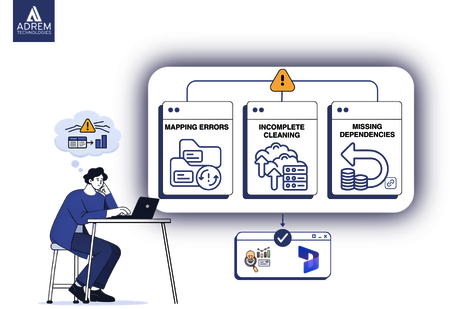
Introduction: When Data Becomes the Quiet Risk
Every ERP implementation eventually reaches a moment when enthusiasm slows slightly and practical concerns emerge. Dashboards appear ready, workflows are configured, and the system begins to feel operational. Then someone asks a simple question:
“Are we confident about the data?”
That question often changes the tone of the conversation.
In Microsoft Dynamics 365 projects especially for companies in the UAE managing multiple entities, VAT compliance, and high-volume transactions data migration becomes one of the most critical phases of implementation.
At first glance, migration seems straightforward:
-
Export the data
-
Transform it
-
Import it into the new system
However, real-world experience shows that small inconsistencies in legacy systems can create large operational issues once data enters a structured ERP environment.
This article explores common data migration mistakes in Microsoft Dynamics 365 projects and how to fix them, using practical insights based on real implementation experience, including structured approaches used by organizations such as Adrem Technologies.
Because once incorrect data enters the system, correcting it later often requires far more effort than preparing it properly before migration.
Why Data Migration Looks Simple but Rarely Is
On paper, data migration appears to be a technical exercise. In reality, it is often a reflection of years of business habits.
Legacy systems frequently contain:
-
Duplicate customer records
-
Inconsistent product codes
-
Old tax configurations
-
Unused vendor accounts
-
Manually adjusted financial entries
These inconsistencies rarely cause immediate problems in older systems. Teams adapt to them over time.
However, when Microsoft Dynamics 365 introduces structured data models, those inconsistencies suddenly become visible.
This is where most Dynamics 365 migration errors begin not because the system fails, but because historical data does not align neatly.
A Snapshot of Common ERP Data Migration Pitfalls
| Migration Issue | What It Looks Like | Business Impact |
|---|---|---|
| Duplicate master data | Same customer listed multiple times | Confusing reports |
| Incorrect field mapping | VAT codes assigned incorrectly | Compliance risk |
| Missing reconciliation | Trial balances mismatch | Loss of financial trust |
| Incomplete testing | Transactions post incorrectly | Financial corrections required |
| Unclear data ownership | No one validates final data | Project delays |
These are among the most common ERP data migration pitfalls, and importantly, they are all preventable.
Mistake 1: Trusting Legacy Data Without Verification
Many organizations assume that because their systems have worked for years, the data must already be reliable.
Unfortunately, legacy systems often contain outdated or redundant information.
Examples include:
-
Inactive vendors still marked as active
-
Customers stored under multiple name variations
-
Outdated tax codes still attached to transactions
When this data moves directly into Microsoft Dynamics 365, system structure exposes these weaknesses.
How to Fix It
Before migration begins:
-
Perform detailed data profiling
-
Remove duplicate records
-
Standardize naming conventions
-
Archive obsolete records rather than migrating everything
Although data cleansing may feel tedious, it protects system credibility after go-live.
Mistake 2: Incorrect Data Mapping
Mapping errors rarely appear immediately. The system may function normally until someone runs a financial report.
For example:
-
Incorrect payment term mapping affects cash-flow forecasts
-
Misplaced VAT fields create compliance risks
-
Incorrect inventory mapping distorts valuation reports
These issues are among the most subtle Dynamics 365 migration errors, and they often appear weeks after go-live.
How to Fix It
To avoid mapping problems:
-
Document every mapping field clearly
-
Review mapping logic with finance teams
-
Perform pilot migrations using real data
-
Test full transaction cycles before launch
Testing only individual records is rarely enough.
Mistake 3: Migrating Too Much or Too Little Historical Data
Organizations often debate how much legacy data should move into the new ERP system.
Some want to migrate every historical transaction, while others prefer only opening balances.
The correct answer usually lies between these extremes.
Recommended Approach
-
Migrate detailed data for the current fiscal year
-
Transfer summarized balances for previous years
-
Keep legacy systems accessible in read-only mode
This balanced approach supports operational reporting while maintaining system performance.
For companies in the UAE, VAT compliance requirements may also influence historical data decisions.
Mistake 4: Skipping Financial Reconciliation
Reconciliation confirms that the financial balances in Microsoft Dynamics 365 match those in the legacy system before go-live.
Although this step may appear obvious, time pressure sometimes causes teams to skip detailed validation.
Unfortunately, data imports can complete successfully even when balances are incorrect.
Key Reconciliation Areas
| Area | Verification | Responsible Team |
|---|---|---|
| General Ledger | Closing balances | Finance |
| Accounts Receivable | Customer balances | Accounting |
| Accounts Payable | Vendor balances | Finance |
| Inventory | Quantity and valuation | Operations |
| Fixed Assets | Asset register totals | Audit |
How to Fix It
-
Freeze legacy transactions before final extraction
-
Run parallel reports in both systems
-
Require formal approval before go-live
Reconciliation builds confidence across the organization.
Mistake 5: Testing Only Data Visibility
Some teams verify that records appear correctly in Microsoft Dynamics 365 and assume migration testing is complete.
However, visibility does not guarantee correct functionality.
Testing must confirm that business processes behave correctly.
Testing Should Include
-
Invoice creation and posting
-
VAT calculation accuracy
-
Inventory valuation checks
-
Financial report generation
-
Workflow approvals
Implementation teams such as Adrem Technologies typically recommend scenario-based testing because it mirrors real business activity.
This approach significantly reduces post-implementation corrections.
Mistake 6: Lack of Clear Data Ownership
One of the most common migration problems occurs when responsibility for validation remains unclear.
For example:
-
Finance assumes IT verified balances
-
IT assumes consultants checked the data
-
Operations assume finance reviewed inventory
Without defined ownership, errors easily slip through.
How to Fix It
-
Assign departmental data owners
-
Document validation responsibilities
-
Conduct structured review sessions
-
Require formal sign-off before migration completion
Ownership ensures accountability and clarity.
The Hidden Cost of Migration Errors
When migration issues appear after go-live, they create several operational challenges.
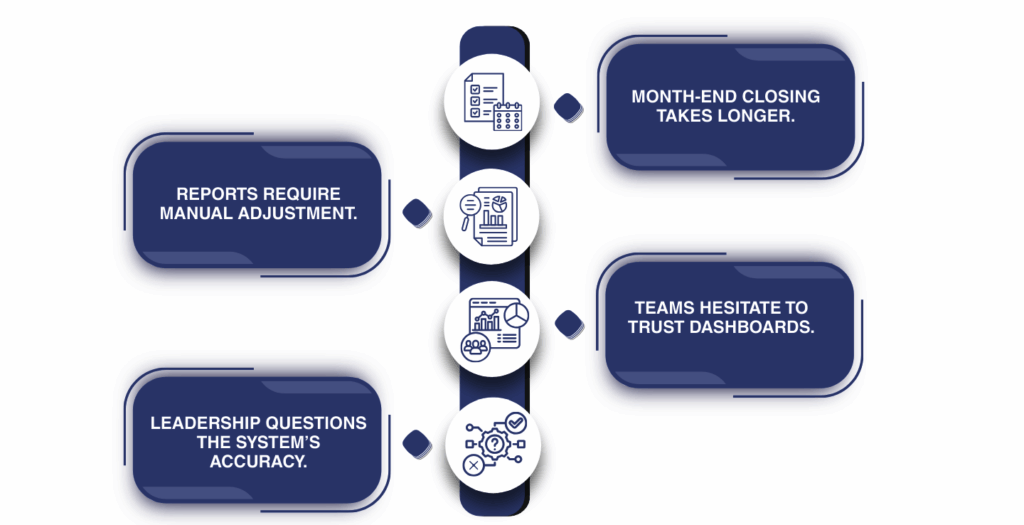
These often include:
-
Slower month-end closing
-
Manual adjustments to reports
-
Reduced trust in system dashboards
-
Leadership questioning system reliability
Industry ERP studies consistently show that data migration challenges remain one of the leading causes of ERP project delays worldwide.
Technology evolves quickly, but data preparation still determines project success.
A Practical Data Migration Framework
A structured process significantly reduces risk during Microsoft Dynamics 365 implementations.
Recommended Migration Process
-
Data assessment
-
Data cleansing and standardization
-
Detailed mapping documentation
-
Pilot migration testing
-
Scenario-based validation
-
Full data migration
-
Financial reconciliation
-
User training
-
Post-go-live monitoring
| Phase | Purpose | Risk if Ignored |
|---|---|---|
| Data Assessment | Identify inconsistencies | High |
| Data Cleansing | Improve accuracy | Very High |
| Pilot Testing | Detect mapping errors | High |
| Reconciliation | Confirm balances | Critical |
| Training | Ensure adoption | Moderate |
Skipping steps may appear efficient initially, but it often leads to larger problems later.
Practical Tips to Avoid Data Migration Issues
Organizations can reduce most migration problems by following a few key practices.
-
Start data preparation early
-
Clean and standardize records thoroughly
-
Test real transaction scenarios
-
Reconcile financial balances carefully
-
Train users on new data structures
-
Maintain temporary access to legacy systems
-
Document migration decisions clearly
These practices significantly reduce ERP data migration risks.
The Value of Structured Implementation Support
Data migration becomes more complex when organizations operate across multiple entities, currencies, and regulatory environments.
Many companies in the UAE operate across regional markets, which adds additional reporting requirements.
Implementation partners such as Adrem Technologies help organizations integrate finance, operations, and IT validation processes throughout Microsoft Dynamics 365 projects.
This structured approach does not eliminate challenges, but it greatly reduces avoidable ones.
Conclusion
Data migration in Microsoft Dynamics 365 projects is not merely a technical step. It is a foundation for system trust.
When migration is performed correctly:
-
Reports become reliable
-
Financial reconciliation becomes smoother
-
Teams trust dashboards and analytics
-
Decision-making improves across departments
However, when errors appear after go-live, even small discrepancies can reduce confidence in the system.
The difference between a smooth implementation and a stressful one usually comes down to preparation:
-
Clean data
-
Careful mapping
-
Thorough testing
-
Clear ownership
-
Proper reconciliation
Companies investing in Microsoft Dynamics 365 deserve not only a functioning ERP system but also confidence in the accuracy of their business data.
With disciplined preparation and structured implementation practices like those followed by Adrem Technologies data migration becomes a manageable process rather than a hidden risk.
Frequently Asked Questions
What causes most Microsoft Dynamics 365 data migration errors? The most common causes include poor data cleansing, incorrect field mapping, lack of reconciliation, and incomplete testing before system launch.
How much historical data should be migrated to Dynamics 365? Many organizations migrate detailed data for the current fiscal year while importing summarized balances for prior years to maintain performance and reporting clarity.
Can data migration errors be corrected after go-live? Yes, but corrections require careful validation and may temporarily disrupt financial reporting and operational processes.
Why is financial reconciliation important during migration? Reconciliation ensures that financial balances in the new system match the legacy system before go-live, preventing reporting discrepancies.
How can Adrem Technologies support Dynamics 365 data migration? Adrem Technologies provides structured Microsoft Dynamics 365 implementation services that include data cleansing, mapping validation, reconciliation processes, and scenario-based testing to ensure reliable system migration.
Frequently asked questions
What causes most Microsoft Dynamics 365 data migration errors?
The most common causes include poor data cleansing, incorrect field mapping, lack of reconciliation, and incomplete testing before system launch.
How much historical data should be migrated to Dynamics 365?
Many organizations migrate detailed data for the current fiscal year while importing summarized balances for prior years to maintain performance and reporting clarity.
Can data migration errors be corrected after go-live?
Yes, but corrections require careful validation and may temporarily disrupt financial reporting and operational processes.
Why is financial reconciliation important during migration?
Reconciliation ensures that financial balances in the new system match the legacy system before go-live, preventing reporting discrepancies.
How can Adrem Technologies support Dynamics 365 data migration?
Adrem Technologies provides structured Microsoft Dynamics 365 implementation services that include data cleansing, mapping validation, reconciliation processes, and scenario-based testing to ensure reliable system migration.
Tags
Author

Sara Adam